
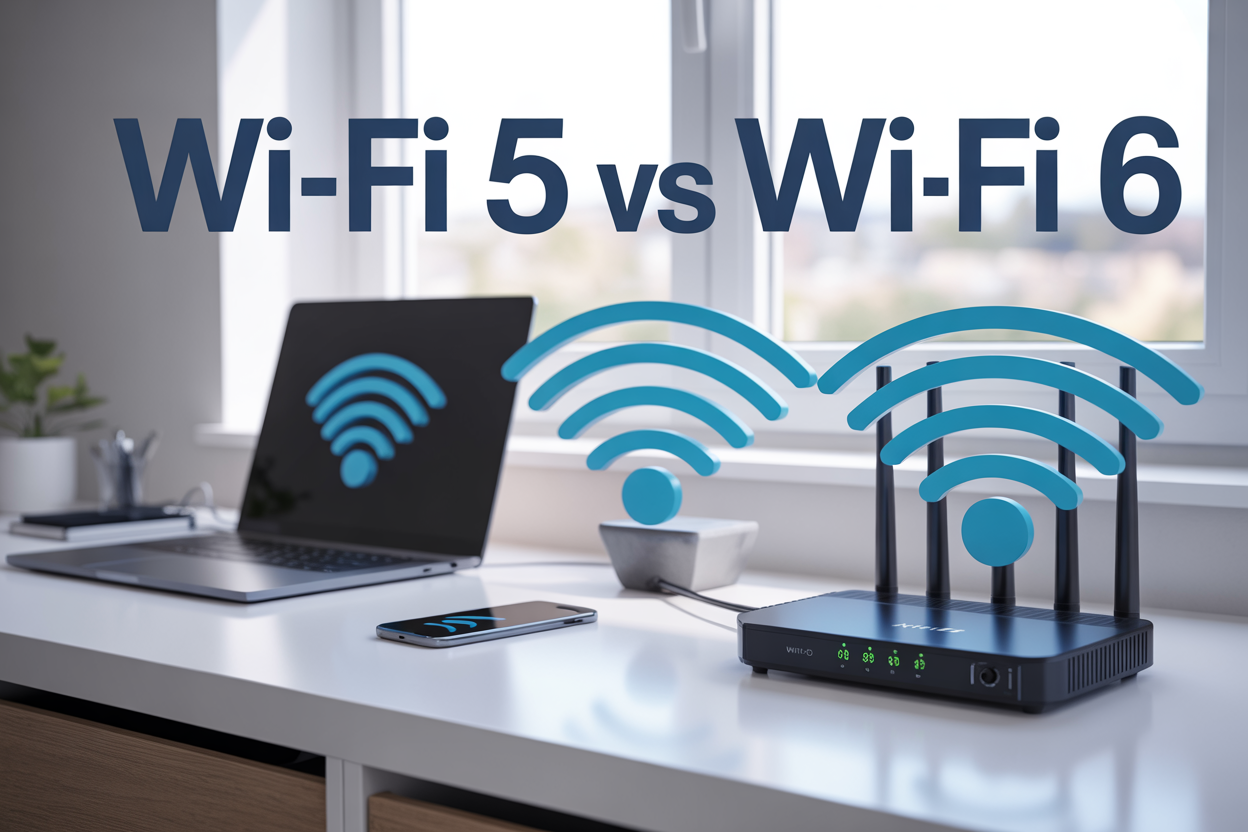
What is Wi-Fi5 and Wi-Fi 6

Wi-Fi 5 and Wi-Fi 6 are wireless networking standards that determine how fast and efficiently your internet connection works across all your devices. If you’re shopping for a new router, upgrading your home network, or just curious about why your neighbor’s internet seems faster than yours, understanding these Wi-Fi standards will help you make smarter choices.
This guide breaks down the key differences between Wi-Fi 5 and Wi-Fi 6, comparing their real-world performance to show you which one delivers better speeds and handles multiple devices more effectively. We’ll also walk through how to pick the right Wi-Fi standard based on your specific needs, whether you’re streaming movies, working from home, or gaming online.
Understanding Wi-Fi Standards and Evolution

How Wi-Fi standards have progressed over time
Wi-Fi technology has come a long way since its debut in the late 1990s. The original 802.11 standard delivered a modest 2 Mbps, which seemed revolutionary at the time but would feel painfully slow today. The Institute of Electrical and Electronics Engineers (IEEE) has been the driving force behind Wi-Fi evolution, releasing new standards every few years to keep pace with our growing connectivity demands.
The progression followed a logical path: 802.11b brought us 11 Mbps speeds, then 802.11g jumped to 54 Mbps. The real game-changer came with 802.11n (Wi-Fi 4), introducing MIMO technology and pushing speeds up to 600 Mbps. Wi-Fi 5 (802.11ac) took things even higher with gigabit speeds, while Wi-Fi 6 (802.11ax) represents the current pinnacle of wireless technology.
Each generation built upon the previous one’s foundation while addressing specific limitations. Early standards struggled with range and interference, later versions tackled congestion issues, and modern standards focus on efficiency and handling multiple devices simultaneously.
Why newer Wi-Fi versions deliver better performance
The performance improvements in newer Wi-Fi standards aren’t just about raw speed – they’re about smarter technology. Modern Wi-Fi versions use advanced modulation techniques that pack more data into each transmission. Think of it like fitting more passengers into the same-sized vehicle by organizing them better.
Newer standards also feature better antenna technology. MIMO (Multiple-Input, Multiple-Output) allows routers to communicate with multiple devices simultaneously using different antenna combinations. Wi-Fi 6 takes this concept further with MU-MIMO (Multi-User MIMO), enabling true simultaneous communication with multiple devices rather than rapidly switching between them.
Channel efficiency plays a crucial role too. While older standards wasted bandwidth switching between devices, newer versions use techniques like OFDMA (Orthogonal Frequency Division Multiple Access) to divide channels into smaller sub-channels, allowing multiple devices to transmit simultaneously on the same frequency.
Key differences between older and modern Wi-Fi technologies
| Feature | Older Wi-Fi (802.11g/n) | Modern Wi-Fi (Wi-Fi 5/6) |
|---|---|---|
| Maximum Speed | 54-600 Mbps | 1-9.6 Gbps |
| Frequency Bands | 2.4 GHz only/dual-band | Dual-band/tri-band |
| Device Handling | Sequential | Simultaneous |
| Security | WEP/WPA | WPA3 |
| Power Efficiency | Basic | Target Wake Time |
The security improvements alone make upgrading worthwhile. Older standards relied on WEP or early WPA protocols that hackers can crack relatively easily. Modern Wi-Fi uses WPA3 encryption with stronger authentication methods and better protection against brute-force attacks.
Power management has also evolved significantly. Wi-Fi 6 introduces Target Wake Time, allowing devices to schedule when they wake up to communicate with the router. This feature dramatically extends battery life for smartphones, tablets, and IoT devices.
Range and signal quality have improved through beamforming technology, which focuses Wi-Fi signals directly toward connected devices rather than broadcasting in all directions. This targeted approach reduces interference and improves connection stability, especially at the edges of your network coverage area.
Wi-Fi 5 Features and Capabilities

Maximum speeds and bandwidth improvements over previous versions
Wi-Fi 5 brought a massive leap in wireless performance when it arrived in 2013. The standard delivers theoretical maximum speeds of up to 3.5 Gbps, which is roughly three times faster than its predecessor, Wi-Fi 4 (802.11n). This speed boost comes from several technical improvements, including wider channel bandwidth support of up to 160 MHz and the ability to use more spatial streams simultaneously.
The real game-changer is how Wi-Fi 5 handles data transmission. While older standards relied heavily on the crowded 2.4 GHz band, Wi-Fi 5 operates exclusively on the 5 GHz frequency band. This means less interference from household devices like microwaves and baby monitors that typically congest the 2.4 GHz space.
Enhanced device connectivity and multi-user support
Multi-User Multiple Input Multiple Output (MU-MIMO) technology stands as one of Wi-Fi 5’s most significant innovations. Before this technology, wireless routers could only communicate with one device at a time, creating a bottleneck effect where devices had to wait their turn for data transmission.
Wi-Fi 5 routers can simultaneously serve up to four devices using MU-MIMO technology. This means your laptop, smartphone, tablet, and smart TV can all receive data streams at the same time instead of sharing bandwidth in a round-robin fashion. The result is dramatically improved network efficiency, especially in homes with multiple connected devices.
Beamforming technology also enhances connectivity by directing wireless signals toward specific devices rather than broadcasting them in all directions. This targeted approach improves connection reliability and speeds for individual devices.
Better range and signal stability for home networks
The 5 GHz frequency band that Wi-Fi 5 uses provides several advantages for home networking. While 5 GHz signals don’t travel as far as 2.4 GHz signals through walls and obstacles, they offer much more available spectrum space, reducing congestion and interference.
Wi-Fi 5 routers typically feature advanced antenna designs and signal processing capabilities that help maintain stable connections throughout medium to large homes. The combination of beamforming and improved modulation techniques means devices receive stronger, more consistent signals even when moving around the house.
Signal stability gets a boost from better error correction and more sophisticated channel management. Wi-Fi 5 routers can automatically switch between different 5 GHz channels to avoid interference from neighboring networks, maintaining optimal performance.
Power efficiency benefits for connected devices
Wi-Fi 5 introduces several power-saving features that extend battery life for mobile devices. The Target Wake Time (TWT) feature, while more prominent in Wi-Fi 6, has its foundations in Wi-Fi 5 improvements that allow devices to schedule when they wake up to send and receive data.
Improved data transmission efficiency means devices spend less time actively communicating with the router. When data transfers happen faster and more reliably, smartphones, tablets, and laptops can return to low-power states more quickly, preserving battery life.
The MU-MIMO technology also contributes to power savings by reducing the time devices spend waiting for their turn to communicate with the router. Faster, more efficient data exchanges translate directly into longer battery life for portable devices throughout your home network.
Wi-Fi 6 Advanced Technology Benefits

Revolutionary speed increases and reduced latency
Wi-Fi 6 delivers speeds up to 9.6 Gbps, which is nearly three times faster than Wi-Fi 5’s maximum of 3.5 Gbps. But raw speed isn’t the only game-changer here. The real magic happens with latency reduction, where Wi-Fi 6 cuts response times by up to 75%. This means your gaming sessions become buttery smooth, video calls stop freezing at crucial moments, and file uploads happen before you can grab your coffee.
The secret behind these improvements lies in OFDMA (Orthogonal Frequency Division Multiple Access) technology. Think of it like upgrading from a single-lane highway to a multi-lane superhighway. Instead of devices taking turns to transmit data, OFDMA lets multiple devices send information simultaneously on different frequency channels. Your smart TV can stream 4K content while your laptop handles video conferencing and your phone downloads apps – all without stepping on each other’s toes.
Target Wake Time (TWT) adds another layer of efficiency by scheduling when devices communicate with the router. Battery-powered devices like smartphones and IoT sensors can sleep longer between transmissions, extending battery life while maintaining performance.
Superior performance in crowded network environments
Wi-Fi 6 shines brightest when your network gets busy. Previous Wi-Fi standards struggle when multiple devices compete for bandwidth, creating bottlenecks that slow everyone down. Wi-Fi 6 tackles this head-on with smarter resource allocation.
BSS Coloring technology helps routers distinguish between their own signals and interference from neighboring networks. When your router detects signals from your neighbor’s Wi-Fi, it can identify them as “different colors” and ignore them, reducing interference by up to 40%.
MU-MIMO (Multi-User Multiple Input Multiple Output) gets a major upgrade in Wi-Fi 6. While Wi-Fi 5 could handle four downstream connections, Wi-Fi 6 supports eight simultaneous streams and adds uplink MU-MIMO. This means eight devices can receive data at once, and multiple devices can send data simultaneously without waiting their turn.
The combination of these technologies creates a network that actually gets more efficient as you add devices, rather than slower. Whether you’re running a smart home with dozens of connected devices or working in a busy office environment, Wi-Fi 6 maintains consistent performance across all connections.
Enhanced security protocols for safer connections
Security gets a major boost with Wi-Fi 6 through WPA3 (Wi-Fi Protected Access 3), the most robust wireless security standard to date. WPA3 replaces the older WPA2 protocol with stronger encryption that’s virtually impossible to crack using current methods.
The new protocol uses 192-bit encryption for enterprise networks and improved 128-bit encryption for personal use. Even if hackers intercept your data, breaking the encryption would take centuries with today’s computing power. WPA3 also introduces Simultaneous Authentication of Equals (SAE), which protects against dictionary attacks where hackers try common passwords.
One standout feature is forward secrecy. If someone somehow obtains your Wi-Fi password, they can’t decrypt data that was transmitted before they got the password. Each session uses unique encryption keys, keeping your historical data safe.
Wi-Fi 6 also makes connecting new devices safer with Wi-Fi Easy Connect. Instead of typing complex passwords, you can scan a QR code to securely add devices to your network. This eliminates the security risks of sharing passwords or using simple, guessable ones.
Performance Comparison Between Wi-Fi 5 and Wi-Fi 6

Real-world speed differences in various scenarios
Wi-Fi 6 delivers significantly faster speeds than Wi-Fi 5 in real-world testing. In optimal conditions, Wi-Fi 5 typically maxes out at around 3.5 Gbps theoretical throughput, while Wi-Fi 6 can reach up to 9.6 Gbps. However, these theoretical speeds rarely translate to actual performance.
In practical home environments, Wi-Fi 5 networks usually provide 200-400 Mbps for individual devices under good conditions. Wi-Fi 6 networks consistently deliver 600-1200 Mbps to compatible devices in the same scenarios. The difference becomes more pronounced when multiple devices connect simultaneously.
For streaming 4K content, Wi-Fi 5 handles single streams well but struggles when multiple family members stream simultaneously. Wi-Fi 6 maintains stable speeds across multiple 4K streams without buffering issues. Gaming experiences also improve dramatically, with Wi-Fi 6 reducing latency by up to 75% compared to Wi-Fi 5.
File transfers between local devices show remarkable improvements. A 1GB file that takes 30-45 seconds to transfer on Wi-Fi 5 completes in 10-15 seconds on Wi-Fi 6 networks.
| Scenario | Wi-Fi 5 Performance | Wi-Fi 6 Performance |
|---|---|---|
| Single device streaming | 25-50 Mbps | 50-100 Mbps |
| Gaming latency | 15-30ms | 5-10ms |
| File transfers (1GB) | 30-45 seconds | 10-15 seconds |
Network capacity and simultaneous device handling
The capacity differences between Wi-Fi 5 and Wi-Fi 6 become apparent when multiple devices connect to the same network. Wi-Fi 5 networks typically start showing performance degradation once 15-20 devices connect actively. Wi-Fi 6 networks maintain stable performance with 50+ connected devices.
Wi-Fi 6 introduces OFDMA (Orthogonal Frequency Division Multiple Access) technology, which allows the router to communicate with multiple devices simultaneously rather than taking turns. This creates a dramatic improvement in network efficiency. Smart home devices, laptops, phones, and tablets can all maintain consistent connections without competing for bandwidth.
MU-MIMO technology also receives upgrades in Wi-Fi 6. While Wi-Fi 5 supports 4×4 MU-MIMO for downloads only, Wi-Fi 6 extends this to 8×8 MU-MIMO for both uploads and downloads. This means eight devices can receive dedicated data streams simultaneously instead of waiting in line.
The practical impact shows up during peak usage times. When family members stream videos, participate in video calls, and download files simultaneously, Wi-Fi 5 networks often slow to a crawl. Wi-Fi 6 networks maintain consistent speeds for each connected device.
Battery life improvements on compatible devices
Wi-Fi 6 introduces Target Wake Time (TWT) technology, which significantly extends battery life on compatible devices. This feature allows devices to schedule when they wake up to send or receive data, reducing the time spent maintaining active connections.
Smartphones and laptops with Wi-Fi 6 chipsets can achieve 20-40% longer battery life when connected to Wi-Fi 6 networks. The improvement comes from more efficient data transmission and reduced power consumption during idle periods.
IoT devices benefit most dramatically from these power savings. Smart home sensors, security cameras, and wearable devices can operate months longer between charges when connected to Wi-Fi 6 networks. The scheduled wake times prevent devices from constantly polling for updates, preserving battery capacity.
Testing shows smartphones typically gain 2-4 hours of additional usage time per charge when primarily connected to Wi-Fi 6 networks compared to Wi-Fi 5. Laptops can extend their battery life by 30-60 minutes during typical usage patterns.
Coverage area and signal penetration comparisons
Wi-Fi 6 routers generally provide similar coverage areas to high-quality Wi-Fi 5 routers, but the signal quality and stability improve noticeably. Both standards operate on the same frequency bands (2.4 GHz and 5 GHz), so physical coverage limitations remain similar.
The key difference lies in signal efficiency and performance at range. Wi-Fi 6’s improved modulation techniques maintain higher speeds at greater distances from the router. Where Wi-Fi 5 might drop to 50 Mbps at the edge of coverage, Wi-Fi 6 maintains 100-150 Mbps in the same location.
Beamforming technology receives enhancements in Wi-Fi 6, providing more precise signal direction toward connected devices. This results in stronger, more stable connections throughout the coverage area, particularly for devices in challenging locations like basements or upper floors.
Wall penetration performance shows modest improvements with Wi-Fi 6, primarily due to better signal processing rather than increased transmission power. Concrete walls and metal obstacles still create significant barriers for both standards, but Wi-Fi 6 maintains more consistent performance on the other side of these obstacles.
Mesh network performance also improves with Wi-Fi 6, as the enhanced efficiency allows better communication between access points and reduces the speed penalty typically associated with multi-hop connections.
Choosing the Right Wi-Fi Standard for Your Needs

Cost considerations and budget-friendly options
Budget plays a major role when deciding between Wi-Fi 5 and Wi-Fi 6 equipment. Wi-Fi 5 routers and devices have become significantly more affordable, with solid options available starting around $50-80 for home routers. You can find excellent Wi-Fi 5 systems that handle most household needs without breaking the bank.
Wi-Fi 6 equipment carries a premium price tag, typically starting at $150-200 for entry-level routers and going up to $500+ for high-end models. Enterprise-grade Wi-Fi 6 access points can cost several times more than their Wi-Fi 5 counterparts. However, prices continue dropping as the technology matures and becomes mainstream.
Consider the total cost of ownership beyond just the router. If you need to upgrade multiple devices like laptops, phones, and smart home gadgets to take advantage of Wi-Fi 6 features, the expense adds up quickly. Many older devices work fine with Wi-Fi 5 and don’t require immediate replacement.
For tight budgets, Wi-Fi 5 provides excellent value. The performance difference won’t be noticeable for basic internet browsing, streaming Netflix, or casual gaming. You can always upgrade later when Wi-Fi 6 prices drop and your current devices need replacement.
Device compatibility requirements and upgrade timing
Your existing devices largely determine which Wi-Fi standard makes sense. Check what your smartphones, laptops, tablets, and smart home devices support before making any router purchase. Mixing Wi-Fi standards works fine – newer routers handle older devices without issues – but you won’t see Wi-Fi 6 benefits on Wi-Fi 5 devices.
Most devices from 2019 and earlier use Wi-Fi 5 or older standards. iPhones started supporting Wi-Fi 6 with the iPhone 11 series in 2019. Samsung Galaxy phones added Wi-Fi 6 around the same time with the Galaxy S10. Windows laptops began including Wi-Fi 6 adapters in 2020, though many budget models still use Wi-Fi 5.
Gaming consoles show mixed support. PlayStation 5 and Xbox Series X/S include Wi-Fi 6, while PlayStation 4 and Xbox One stick with older standards. Nintendo Switch uses Wi-Fi 5 in its current form.
Smart home devices lag behind in adoption. Many security cameras, thermostats, and IoT gadgets still use Wi-Fi 4 or even older standards. These devices often prioritize low power consumption over speed, making Wi-Fi 6 features less relevant.
Plan your upgrade strategy around natural replacement cycles. When your laptop dies or you upgrade your phone, choose Wi-Fi 6 models. This gradual transition costs less than replacing everything at once.
Network usage patterns that benefit most from each standard
Different internet habits favor different Wi-Fi standards. Light users who mainly browse websites, check email, and stream occasional videos find Wi-Fi 5 perfectly adequate. The standard handles 4K streaming on multiple devices without problems in most homes.
Wi-Fi 6 shines with heavy network loads and specific use cases. Homes with 20+ connected devices see real improvements in network efficiency. The standard’s ability to serve multiple devices simultaneously prevents the slowdowns that occur when everyone tries to use the network at once.
Gaming enthusiasts notice Wi-Fi 6’s lower latency, especially in competitive online games where every millisecond counts. The reduced ping times and more consistent connections provide a tangible advantage. However, casual mobile gaming or single-player experiences don’t require these improvements.
Work-from-home situations with frequent video calls, large file uploads, and cloud sync operations benefit from Wi-Fi 6’s improved upload performance and stability. The standard handles multiple simultaneous video conferences better than Wi-Fi 5.
Smart home automation with numerous sensors, cameras, and automated devices leverages Wi-Fi 6’s efficiency improvements. The standard manages IoT traffic more effectively, preventing smart home commands from being delayed by network congestion.
Streaming multiple 4K videos simultaneously pushes Wi-Fi 5 to its limits, making Wi-Fi 6 worthwhile for families with heavy streaming habits across multiple rooms and devices.

Wi-Fi technology has come a long way, and understanding the differences between Wi-Fi 5 and Wi-Fi 6 can help you make smarter decisions about your home or office network. Wi-Fi 5 offers solid performance for most everyday tasks, while Wi-Fi 6 brings significant improvements in speed, efficiency, and the ability to handle multiple devices without slowing down. The newer standard really shines when you have lots of connected devices competing for bandwidth.
When deciding between these two standards, think about your current setup and future needs. If you’re happy with your internet speed and don’t have many smart devices, Wi-Fi 5 might be perfectly fine for now. But if you’re dealing with lag during video calls, slow streaming, or planning to add more smart home gadgets, upgrading to Wi-Fi 6 will give you the performance boost you’re looking for. The investment in Wi-Fi 6 technology will also keep your network ready for whatever new devices and applications come next.



Leave a Reply